Guides
How to use DIY Garage 3D, plus plain-language basics for keeping up with your car. General information only: your owner's manual is the final word for your car.
Using the app
Short walkthroughs of the test build. The orange numbers show where to tap. From the test build, using an example car. The app is still in development.
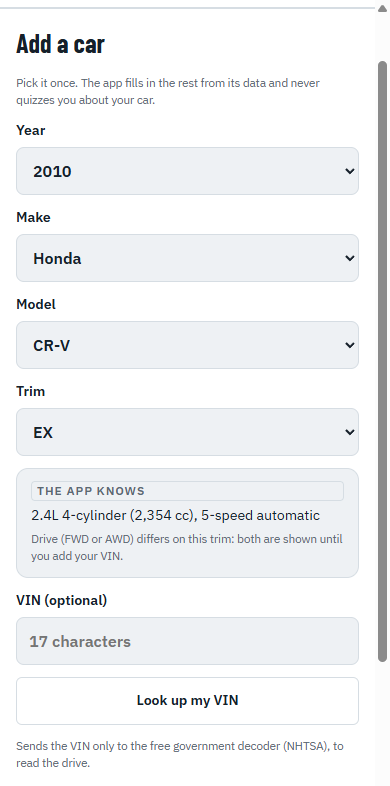
1. Add your car
Tap My car, then pick your car once. The app fills in the rest from its data.
 123
- 1Pick year, make, model and trim
- 2The app fills in the engine for you
- 3VIN is optional
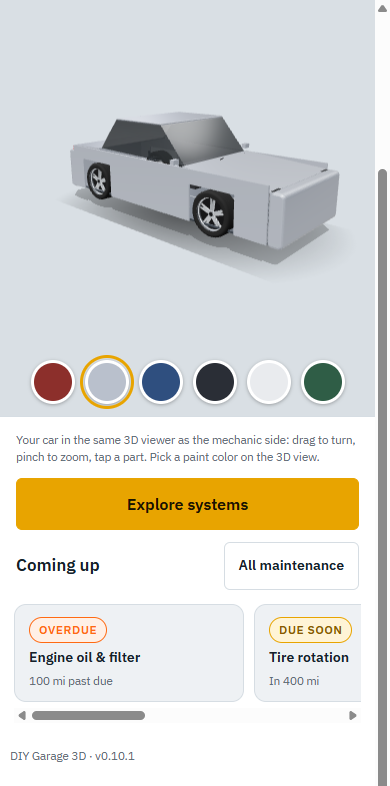
2. See your car and what's due
Your car opens in 3D with what's coming up from the carmaker's schedule.
 123
- 1Pick your paint color
- 2Explore systems in 3D
- 3What's coming up
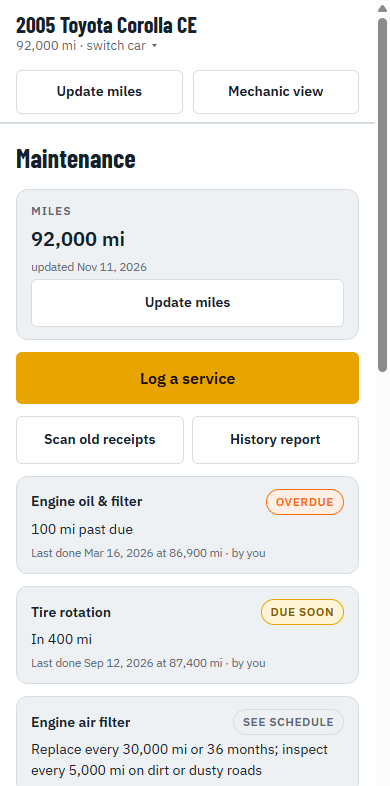
3. Log a service
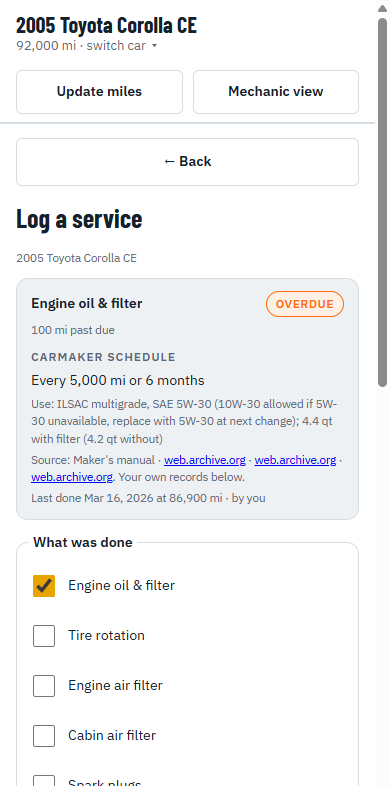
Open Maintenance, tap Log a service, and tick what was done. The next due dates update on their own.
 123
- 1Log a service
- 2Scan old receipts
- 3History report
 12
- 1The carmaker's schedule and last service
- 2Tick what was done
4. Scan an old receipt
From Maintenance, tap Scan old receipts. The receipt is read on your phone; you check every field before it's saved.
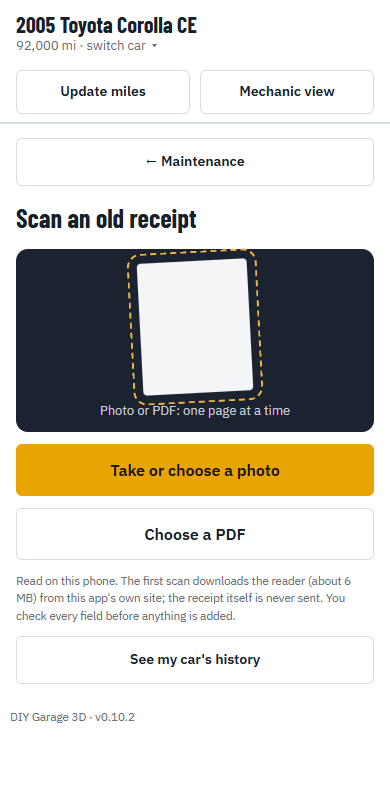 123
- 1Take or choose a photo
- 2Or pick a PDF
- 3Read on your phone, never sent
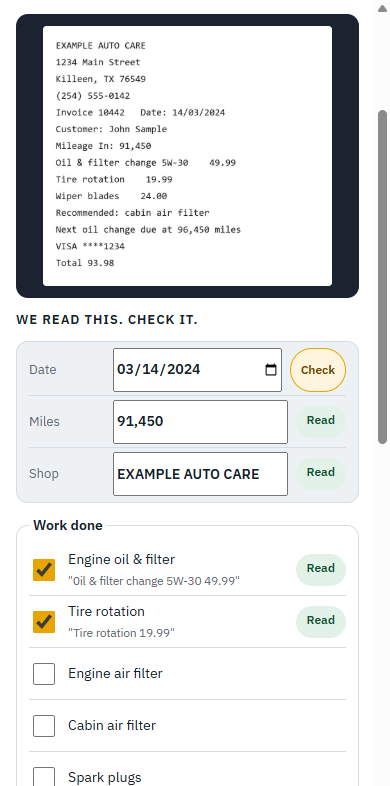 123
- 1Check anything marked Check
- 2Read fields, ready to confirm
- 3Jobs found on the receipt
5. Share your car's history
Tap History report when you sell. Every line says whether it came from a receipt or your own entry.
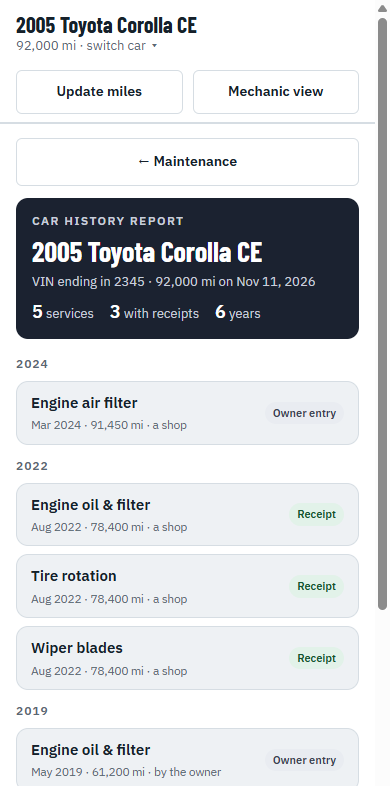 12
- 1Summary of your car's records
- 2Each line: receipt or owner entry
6. Explore your car in 3D
Tap Explore systems. Show one system at a time, explode the parts, or open the engine teardown.
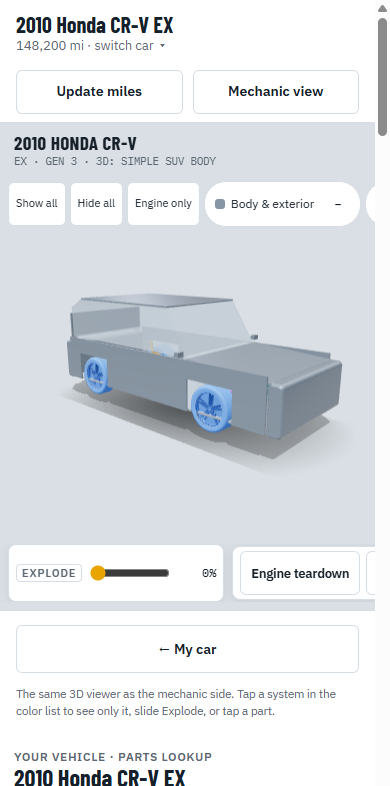 123
- 1Show one system at a time
- 2Slide to explode the parts
- 3Engine teardown
Maintenance basics
How to read your maintenance schedule
- Start with the owner's manual. The carmaker's schedule is written for your exact car. A shop's window sticker or a generic "every 3,000 miles" rule may not match it.
- "Whichever comes first." Most items list miles and months, like "every 7,500 miles or 12 months." If you don't drive much, the months will usually come due first.
- Normal or severe service. Many manuals have a second, shorter schedule for hard use: lots of short trips, stop-and-go traffic, towing, dusty roads or extreme heat. San Antonio summers can count.
- Dash reminders. Many newer cars track oil life and show a service reminder on the dash. When your car has one, the manual usually says to follow it.
Keep a service record
- Write down every service: the date, the mileage, what was done, the parts used and who did it.
- Keep the receipts, including the ones for work you did yourself, like the receipt for the oil and filter.
- Why it pays off: you know what's actually due next, it can help with warranty questions, and a buyer trusts a car with a paper trail.
Do it yourself, or call a pro?
- Good first DIY jobs: checking fluids and tire pressure, replacing wiper blades, engine and cabin air filters, and some bulbs.
- Think twice before DIY: brakes, steering, suspension, airbags, fuel lines, and anything on the high-voltage system of a hybrid or electric car (usually orange cables). These affect your safety, and some need special tools or training.
- Get it checked soon: grinding or squealing when you brake, the car pulling to one side when you brake, a flashing check engine light, or a temperature gauge in the red. A flashing check engine light usually means a serious misfire, so ease off and get it looked at.
- Always: never work under a car held up only by a jack, let the engine cool before opening the coolant cap, and follow the warnings in your owner's manual.
These guides are general information, not repair instructions for your car. If you're unsure, ask a qualified mechanic or shop.